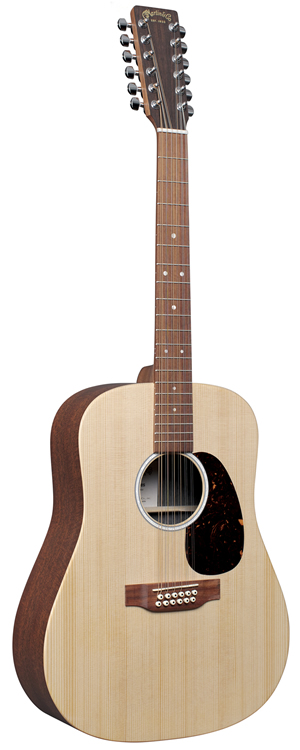
 I've always wanted a 12 string guitar, being that so many of my favourite songs feature them, like early Bowie songs. So a couple of months ago I rented a Taylor 150e. I loved the 12 string sound and soon knew I had to buy one, but there was something about the Taylor sound that just didn't click for me, a harshness in the high end that just seemed to bug me somehow. At any rate, I wanted to try out other 12 strings to compare.
I read about Martin's entry in the lower priced 12 string guitars, the Martin X Series D12X1AE, and it sounded interesting, so I headed to a music shop that had one in stock to compare the two. The Martin was strange, with its plywood neck, and mahogany pattern high-pressure laminate (HPL) back and sides. I didn"t really like the look, but reading more about the theory behind the laminate, I was OK with it. Playing it was a different story, this guitar just didn't play as well as the Taylor... the Taylor looked better, and played better, and also came with a gig bag, but something about the Martin sounded better. An indescribable, subtle, personal warmth that I preferred over the Taylor's.
I left the store a little befuddled. Later that night I discovered Martin has "reimagined" the X Series and new models of the guitar were just released!
We took the D12X1AE and reimagined it. The result is the D-X2E 12 String. This Dreadnought sized model has a Sitka spruce top and figured mahogany pattern high-pressure laminate (HPL) back and sides. New mother-of-pearl pattern inlay on the rosette and fingerboard lend a richness to the D-X2E 12 String, making it as impressive to look at as it is to play. A low profile neck, fingerboard and bridge of select hardwood improve upon the sound transfer of this model. It is equipped with Fishman® MX electronics. With a new, soft gig bag featuring headstock, bridge, and endpin protectors, a durable water-repellent exterior and foam padding, this model is ready to go anywhere.
OK, so the new model now comes with a solid wood neck and a gig bag? Nice! I took a chance and ordered one, and soon I had both guitars, the Taylor and the new Martin, side by side to compare...
]]>